Content Delivery Network (CDN)
How it works
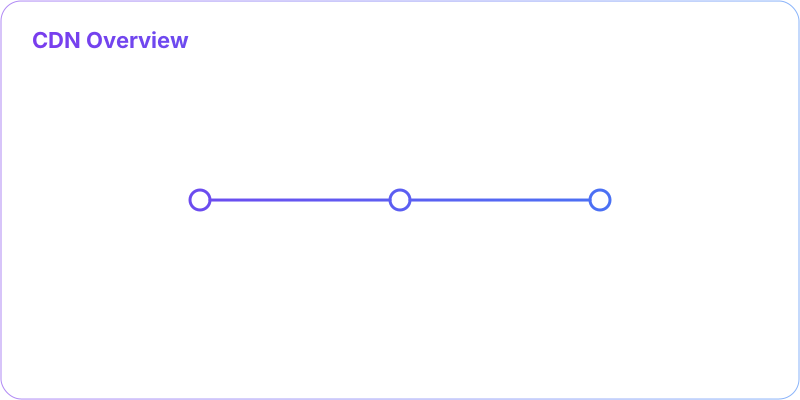
- DNS routes to edge
- Edge serves cached asset
- On miss, fetch from origin
- Cache with versioned keys
Overview
- CDN caches content at edge locations to reduce latency and origin load.
- Ideal for static assets, media, and cacheable API responses with proper headers.
When to use
- Global audiences or mobile networks where RTT dominates.
- Heavy static/media traffic; offload bandwidth from origin.
Trade-offs
- Cache invalidation complexity; risk of stale content.
- Additional cost and debugging complexity across edge layers.
Patterns
- Versioned asset URLs (content hashing) for safe long TTLs.
- Cache keys include path + query + device/lang; use Vary headers.
- Stale-while-revalidate, prefetching, and signed URLs for protected content.
- Tiered caching (edge ▶ regional ▶ origin) and origin shield.
Anti-patterns
- Purging broad wildcards in production without safeguards.
- No cache-busting/versioning causing clients to see stale assets.
- Caching personalized/private responses without proper controls.
📐 Quick Diagram
      User ▶ DNS ▶ Edge POP ▶ (cache hit) ▶ Response
                        └▶ (miss) ▶ Shield ▶ Origin
❓ Interview Q&A (concise)
- Q: Why are hashed filenames used? A: To enable immutable caching; a new hash = new URL, no purge needed.
- Q: Dynamic APIs via CDN? A: Use short TTL or bypass; consider edge compute for auth and personalization.
- Q: Reduce origin load? A: Origin shield, tiered cache, longer TTL with versioning, and compression.
🎯 What is a CDN?
A CDN is like having a network of local warehouses for a global business - it stores copies of your content closer to your users, reducing latency and load times. CDNs are crucial for delivering static content like images, videos, and scripts quickly and efficiently.👤 User
⬇️
🌐 Nearest CDN Edge Server
⬇️
🏢 Origin Server
🚀 How CDNs Work
- User requests content
- DNS routes to nearest CDN edge server
- If content cached, serve immediately
- If not cached, fetch from origin server
- Cache content for future requests
CDN Benefits
- Reduced Latency: Content served from nearby locations
- Reduced Bandwidth: Less traffic to origin servers
- Improved Availability: Multiple servers provide redundancy
- DDoS Protection: Distributed infrastructure absorbs attacks
Types of Content
Static Content
- Images, CSS, JavaScript files
- Long cache times
- Perfect for CDN
Dynamic Content
- API responses, personalized content
- Short cache times or no caching
- Edge computing for processing
CDN Providers
- Cloudflare: Global network, security features
- AWS CloudFront: Integrated with AWS services
- Akamai: Enterprise-focused, large network
- Azure CDN: Microsoft's offering
Cache Control
- TTL Settings: How long to cache content
- Cache Headers: Control browser and CDN caching
- Purging: Manually remove cached content
- Invalidation: Mark content as stale