Load Balancing
How it works
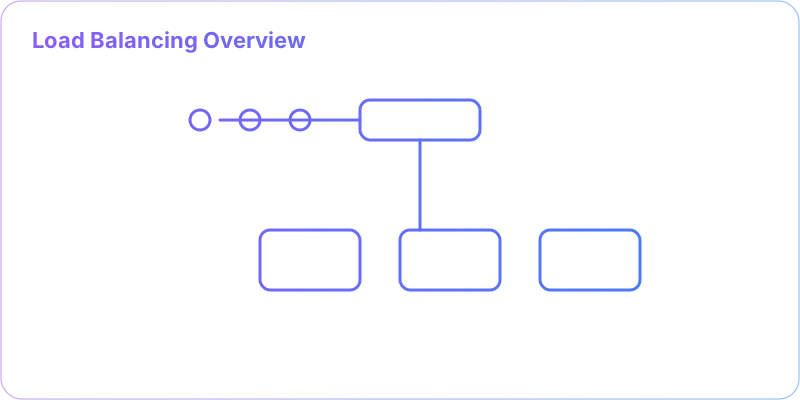
- Client resolves DNS/edge
- LB chooses backend via policy
- Health checks remove bad nodes
- Draining enables safe deploys
🎯 What is Load Balancing?
Load balancing is like having a smart traffic controller at a busy intersection - it directs incoming requests to the least busy server, ensuring no single server gets overwhelmed while others sit idle.Overview
- Distributes requests across instances to improve throughput and resilience.
- Decouples clients from instance topology and scales horizontally.
- Works at L4 (faster, simpler) or L7 (smarter, content-aware).
When to use
- You have multiple replicas of a stateless service.
- Traffic patterns are bursty or diurnal and require elastic scaling.
- You need controlled rollouts (canary/blue-green) and resilience to instance failures.
Trade-offs
- L7 features add latency and operational complexity.
- Sticky sessions simplify state but reduce fault tolerance and balance.
- Health-check sensitivity vs. churn: aggressive checks can flap; slow checks delay recovery.
Patterns
- Anycast/Geo DNS → Regional LBs → Service Mesh.
- Connection draining for zero-downtime deploys.
- Weighted routing for gradual rollouts or hotspot mitigation.
Anti-patterns
- Single LB appliance without redundancy.
- Global regex routing rules that become the de facto monolith.
- Inconsistent timeout/retry budgets across client/LB/upstream.
🏗️ Load Balancer Types
🔌 Layer 4 (Transport Layer)
Works at TCP/UDP level
✨ Characteristics:
- Routes based on IP address and port
- Fast and simple
- Protocol agnostic
- Lower latency
🛠️ Examples:
AWS NLB HAProxy F5 BIG-IP🌐 Layer 7 (Application Layer)
Works at HTTP/HTTPS level
✨ Characteristics:
- Routes based on content (headers, URLs)
- Intelligent routing decisions
- SSL termination
- Content-based rules
🛠️ Examples:
AWS ALB Nginx Cloudflare🎲 Load Balancing Algorithms
🔄 Round Robin
Distribute requests sequentially across servers
⚖️ Weighted Round Robin
Servers receive requests proportional to their weights
🔗 Least Connections
Route to server with fewest active connections
⚡ Least Response Time
Route to server with fastest average response
🔐 IP Hash
Route based on client IP hash for session persistence
🌍 Geographic
Route based on client geographical location
🏥 Health Checks
💓 Ensuring Server Health
🌐 HTTP Health Checks
Regular HTTP requests to health endpoints
GET /health → 200 OK {"status": "healthy"}
🔌 TCP Health Checks
Check if server can accept connections
TCP connect to port 80 → Success/Failure
🔧 Custom Health Checks
Application-specific health validation
Check database connectivity, cache status, etc.
🎯 Actions on Health Check Failure:
- Remove from rotation: Stop sending new requests
- Drain connections: Let existing requests complete
- Alert operations: Notify on-call engineers
- Auto-recovery: Re-add when health checks pass
🔐 Session Persistence
🍪 Sticky Sessions
Route user to the same server consistently
🗄️ Session Sharing
Store sessions in shared external storage
🔄 Stateless Design
No server-side session state (JWT tokens)
🔧 Advanced Features
🛡️ SSL Termination
Load balancer handles SSL encryption/decryption, reducing server load
📊 Traffic Shaping
Rate limiting and traffic control to prevent abuse
🔍 Request Routing
Route requests based on URL patterns, headers, or content
📈 Auto Scaling Integration
Automatically add/remove servers based on load metrics
🎯 Load Balancing Best Practices
🧩 Real-World Scenarios
- Blue/Green or Canary releases: Split 1–5% to the new version via L7 rules; watch p95/p99 before ramping traffic.
- Multi-region active-active: Geo/DNS routing to nearest region with local LBs; fail over using health-checked records.
- WebSockets/Realtime chat: Use L4 or L7 with sticky sessions or a shared pub/sub so messages reach the correct node.
⚠️ Pitfalls and Anti-patterns
- Single load balancer as SPOF; always run at least 2 across zones.
- Overly expensive L7 regex rules increase CPU and latency.
- Sticky sessions hide imbalance and complicate failover; prefer stateless or shared session stores.
- Missing connection draining causes dropped in-flight requests during deploys.
- Health checks too slow/infrequent: slow detection, flapping, or false positives.
- SSL misconfig: mixed ciphers, expired certs, or no OCSP stapling degrade UX.
- Ignoring queue/backlog: SYN backlog/full connection pool looks like “random” 5xx.
🖼️ Quick Architecture Sketches
      # Anycast + Geo + Regional LBs
      Clients ──DNS/Anycast──▶ Edge/Geo ──▶ [ Region A LB ] ─▶ App Pods
                                       └──▶ [ Region B LB ] ─▶ App Pods
      # Multi-tier
      Client ▶ CDN/Edge ▶ WAF ▶ L7 LB ▶ (Service Mesh) ▶ Services
      # Zero-downtime deploy with drain
      LB ▶ S1,S2,S3
           ├─ mark S1 draining
           ├─ wait active=0
           └─ replace S1
🧪 Troubleshooting Checklist
- Observe: 5xx by upstream, p95/p99, open connections, CPU on LB and backends.
- Verify health endpoints are fast and isolated from heavy dependencies.
- Timeouts consistent: client < LB < upstream; enable retries only for idempotent methods.
- Ensure cross-zone balancing and sufficient connection pools.
- Check container readiness/liveness gates before adding to rotation.
- Warm-up new instances (preload JIT, caches) to avoid cold-start spikes.
❓ Interview Q&A (concise)
- Q: L4 vs L7 trade-off? A: L4 is faster, fewer features; L7 enables content-based routing, TLS termination, cookies, but adds latency/CPU.
- Q: Least-connections vs weighted RR? A: Least-connections adapts to variable request time; weighted RR suits heterogeneous capacity.
- Q: When to use IP hash? A: Simple stickiness without cookies; beware of uneven distribution and NAT gateways.
- Q: How to do zero-downtime deploys? A: Drain connections, health-check gate, staged rollout, and automated rollback.
- Q: Hotspot mitigation? A: Weighted routing, autoscale, cache, shard by key, and rate limit abusive paths.